
With the endless possibilities in The Sims 4, it’s safe to say we’ve ALL had that moment of “what do I do now?”
What do you do in a game where you can do anything?
That’s right, DO MORE.
In the Sims 4 base game has so much to offer, but when you’ve got a game that has a huge community of creatives from all walks of life with so many ideas and dreams that they want to live vicariously through a sim, the base game doesn’t really give you much.
- Expansion/Game Packs
Yes, I know. Not everyone wants to be forking out the real money when you’ve already spent money on the game (before 2022) or don’t know which one is worth spending money on. However, I’m here to help. EA is offering 3 different bundles on their website (shown below) for all of their platforms including for the console simmers.
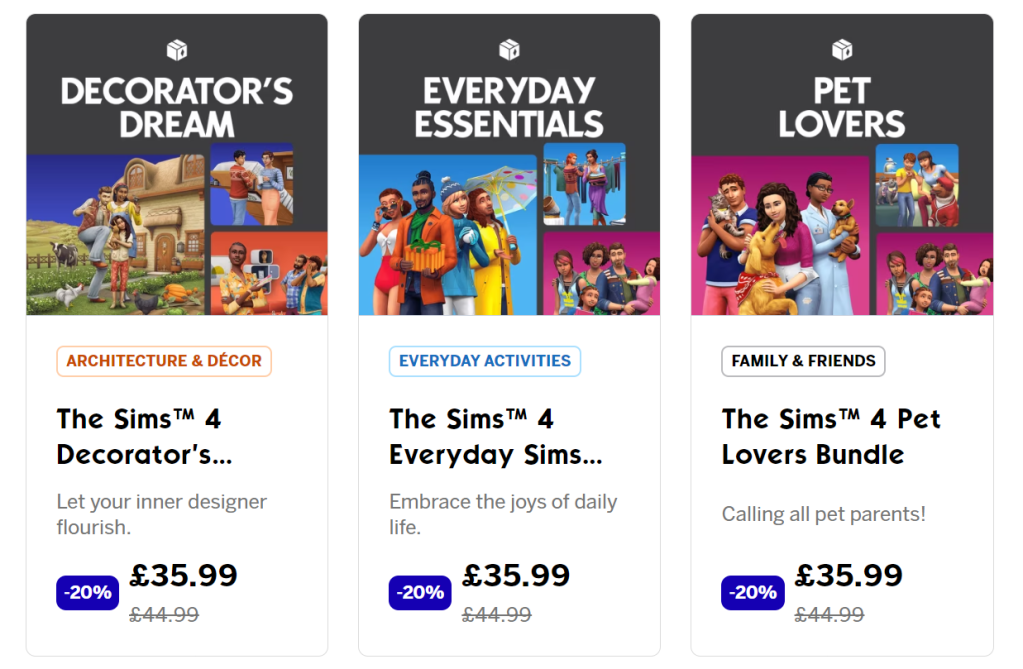
- Decorator’s Dream
- Cottage Living Expansion Pack
- Dream Home Decorator Game Pack
- Tiny Living Stuff Pack
- Everyday Essentials
- Seasons Expansion Pack
- Parenthood Game Pack
- Laundry Day Stuff Pack
- Pet Lovers
- Cats and Dogs Expansion Pack
- Parenthood Game Pack
- My First Pet Stuff Pack
Usually you’d also be able to build your own bundle but EA is actually having a sale on the packs so you can’t but… !!Sale on the Packs!! Take advantage of the special offers and try something new in your Sims game.
- 2. Mods (PC only)
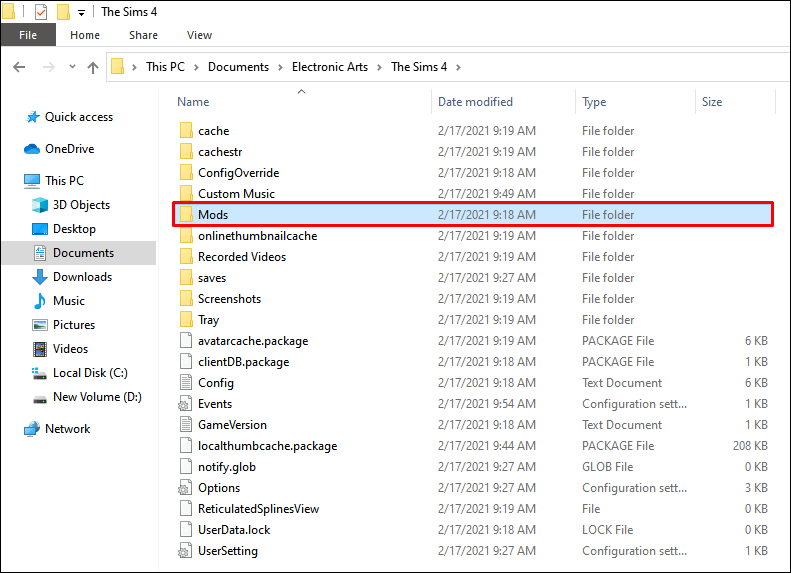
Similar to buying game packs and expansions, PC gamers can get mods. There are so many to choose from and so many more gameplay opportunities when you install them. All you need to do is download the mod you want and put all the files into the mod folder in your Sims 4 folder on your computer. The path should look like the one in the image below. Once you’ve done that you will need to open your game, go to game options and turn on mods. When those are complete, just reload your game and start playing!

Here is a list of The Best Sims 4 Mods for some ideas but also, I would recommend the UI Cheats Mod which allows you to use various cheats simply by clicking on the interface. E.g. your energy is low, you can just click the higher end of the energy bar to refill your energy. This Mod allows you to play the sims and not worry about whether your sim has slept today or had a shower recently. It takes away the need to constantly worry about it.
- 3. Cheat
A lot of games would be offended by the idea of their players using cheats, but not Sims 4. In fact, on the official Sims 4 website (made my EA themselves), they have a whole page on how you can cheat in their game. Click here to see for yourself.

How do you want to cheat?
More money? Make all the houses free? Unlock the locked game items? Teleport your sim? Make your sim’s need not decay? The list is endless and you don’t have to worry about breaking your game because you can just turn them off again.
In order to turn on cheats in your game, press “CTRL + SHIFT + C” to get a little text box on the top of your game and write “testingcheats on”. This turns on the cheats for your game and now all you need to do is type in whatever cheat you want.
 Call Me Noor Blog